Special Installation Instructions For Windows
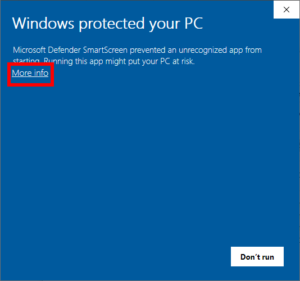
1. When running the installer, you may see the screen.
2. To continue with installation, please click ‘More info’.
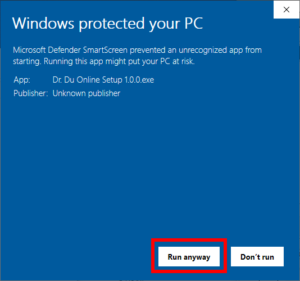
3. Click ‘Run anyway’.
If you do not see the ‘Run anyway’ button, please follow these instructions to change the configuration of your Windows Defender:
https://www.addictivetips.com/windows-tips/fix-no-run-anyway-option-on-smartscreen-windows-10/
If you have spoken to our IT team and been directed to try the manual installer, please click here: Dr. Du Online 1.15.1.zip